
Download Zback – Portable File Sync & Backup Tool for Windows, macOS & Linux
Overview
Zback is a lightweight, portable utility designed to simplify file copying and synchronization across multiple storage media. Whether you work with USB flash drives, external hard disks, or network‑mapped folders, Zback lets you keep data consistent without the need for a full‑blown backup suite. The app runs directly from a USB stick—no installation required—making it an ideal companion for professionals who move between offices, technicians who service multiple machines, or anyone who needs a reliable, on‑the‑go solution for mirroring folders.
Unlike cloud‑based sync services, Zback operates entirely offline, ensuring that sensitive files never leave your hardware. It supports several sync modes, including one‑way copy, two‑way mirroring, and incremental backup, plus powerful filters based on file size, modification date, or name patterns. Batch processing lets you queue multiple jobs, so repetitive sync tasks can be executed with a single click. While the interface may feel a bit dated at first glance, every control is annotated with hover‑over hints, and the learning curve flattens quickly once you explore the core functions.
For users who prioritize speed, security, and portability, Zback offers a compelling mix of features without the bloat of larger backup suites. It’s free to download, runs on the major desktop operating systems, and receives regular updates that address bugs and add modest enhancements. If you frequently shuffle data between devices, Zback can become the hidden workhorse that keeps your folders in perfect alignment.
Key Features & How to Use Them
- Portable execution – run directly from a USB stick with no installation.
- Multiple sync modes: one‑way copy, two‑way mirror, and incremental backup.
- Advanced filtering by file size, date range, and name patterns.
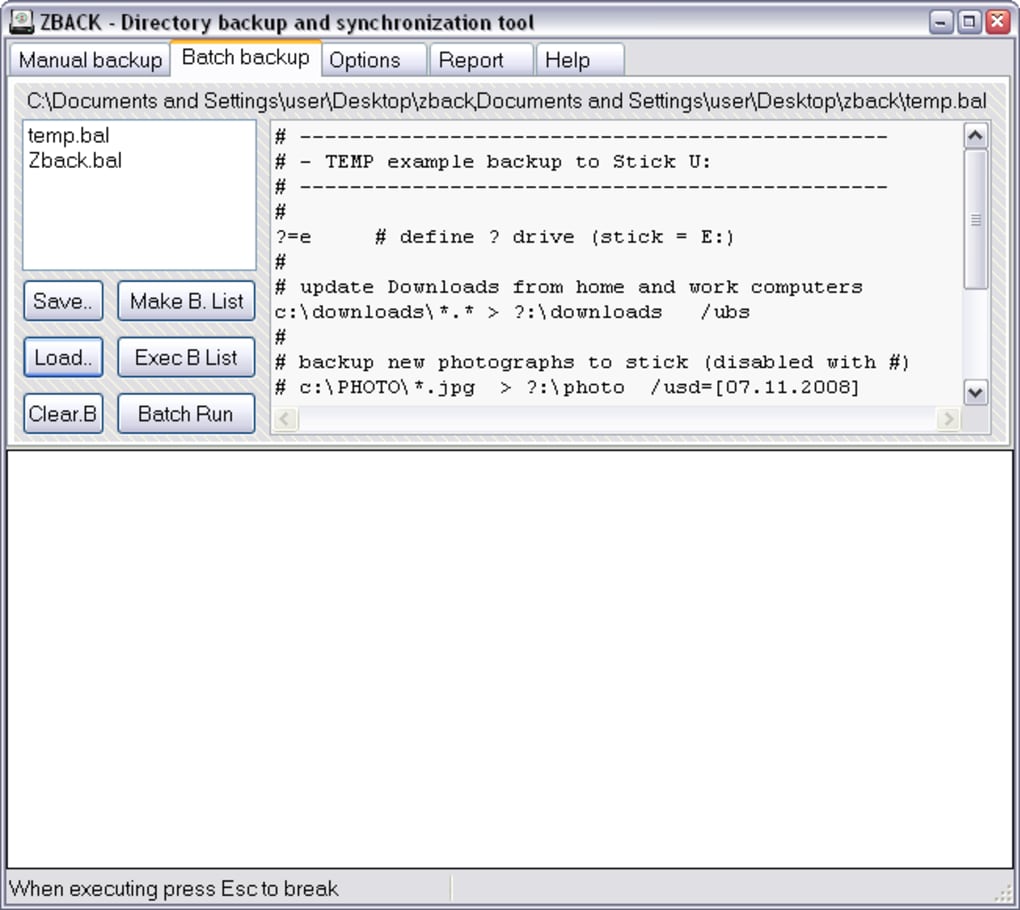
- Batch processing – queue several sync jobs and execute them sequentially.
- Support for local drives, network shares, and removable media.
- Lightweight UI with hover‑over tooltips for each button.
- Automatic detection of changed files to speed up subsequent syncs.
- Command‑line parameters for scripted automation (advanced users).
Getting Started in Minutes
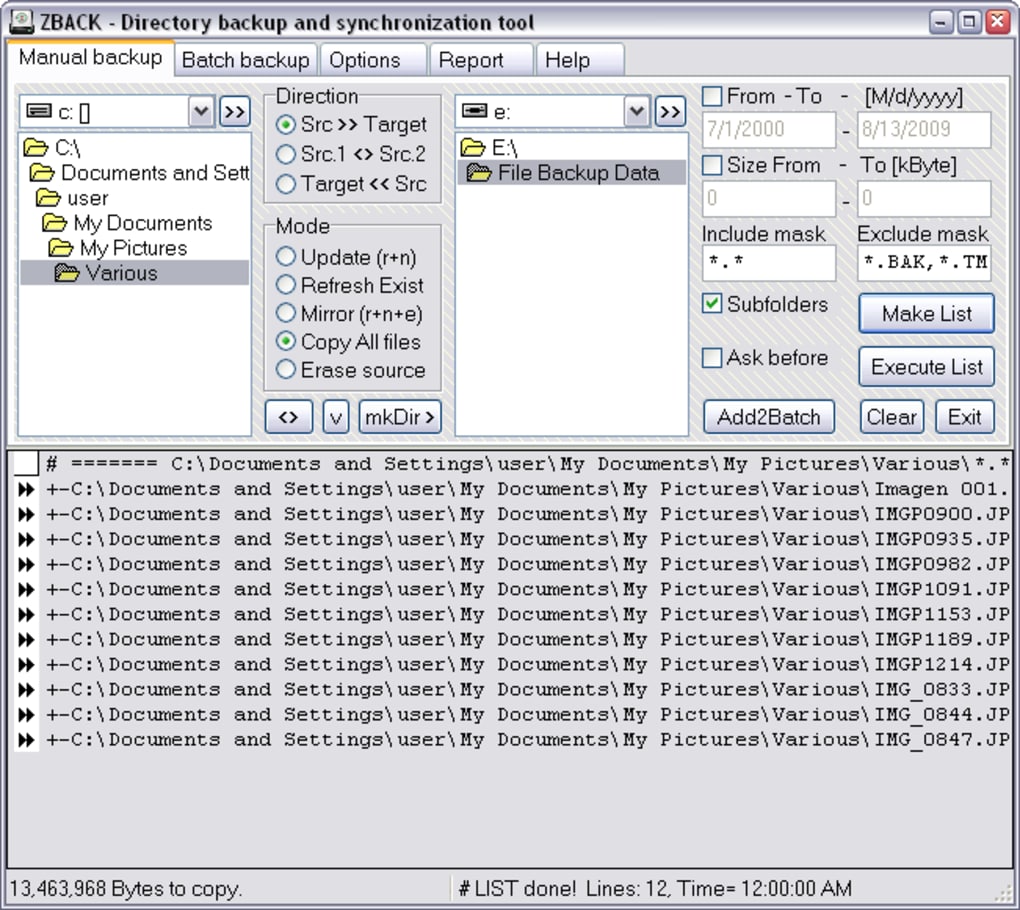
After downloading Zback, simply copy the Zback.exe (or the macOS/Linux equivalent) onto your preferred USB drive. Launch the executable; the main window appears with two pane sections representing the source and destination folders. Use the “Browse” buttons to select the directories you wish to synchronize. Once both locations are set, choose a sync mode from the drop‑down list:
- One‑Way Copy – copies newer or missing files from the source to the destination only.
- Two‑Way Mirror – ensures both folders contain identical content, copying changes in either direction.
- Incremental Backup – adds new or modified files to the destination while preserving older versions.
To refine the operation, click the “Filter” button. Here you can define size thresholds (e.g., skip files larger than 500 MB), date windows (e.g., only files modified in the last 30 days), or name patterns using wildcards (e.g., *.docx). After configuring filters, press “Add to Batch” if you have multiple folder pairs to sync. The batch list appears at the bottom, allowing you to reorder or remove jobs before launching the whole sequence with the “Start Batch” button.
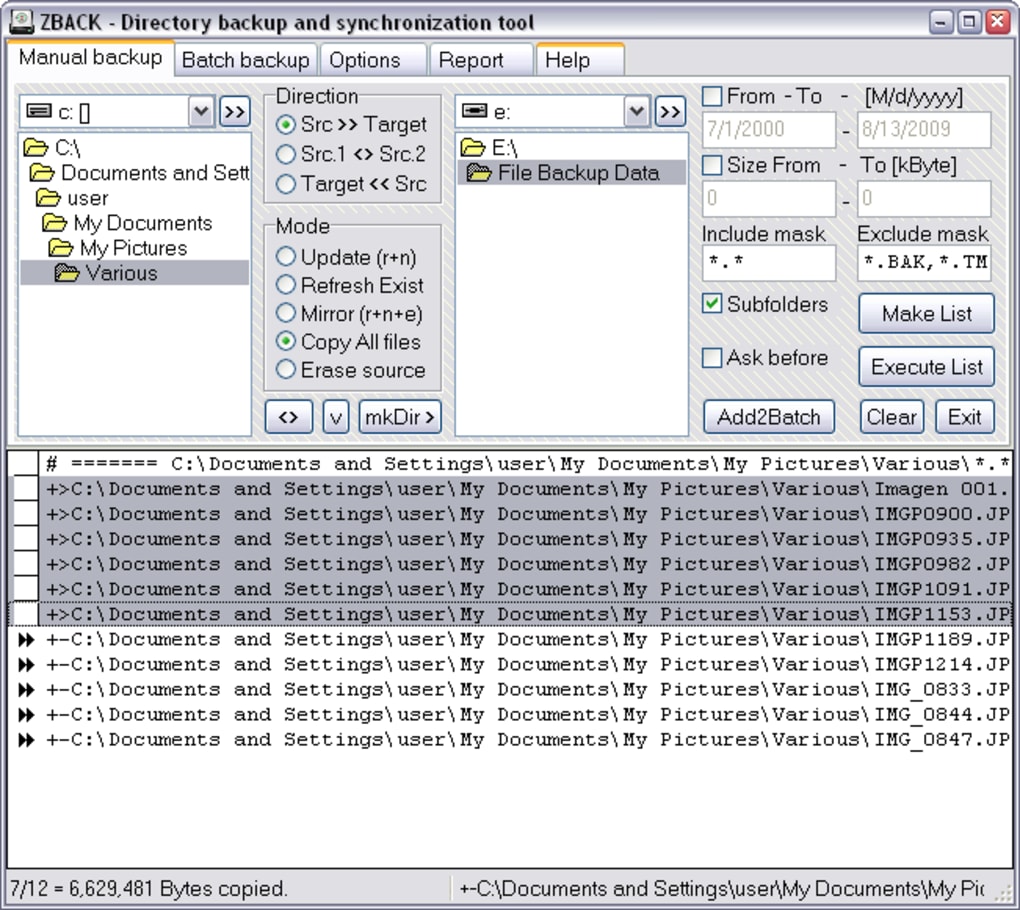
During execution, Zback displays a real‑time progress bar, the number of files processed, and any errors encountered. Completed jobs are logged in a simple text file located alongside the executable, making it easy to review past operations or troubleshoot issues. The UI may look spartan, but the underlying engine is robust, handling large data sets and deep directory trees without significant performance penalties.
Compatibility, Pros & Cons
Supported Platforms: Windows 10/11 (32‑bit & 64‑bit), macOS 10.13+ (Intel & Apple Silicon via Rosetta 2), Linux distributions with GTK support (e.g., Ubuntu, Fedora). Because Zback is a portable binary, it does not rely on system‑wide libraries, which simplifies cross‑platform deployment.
Pros
- Truly portable – no installation, registry entries, or admin rights needed.
- Free and regularly updated with bug fixes.
- Flexible sync modes and powerful filtering options.
- Batch processing reduces repetitive manual work.
- Works offline, keeping sensitive data on‑premises.
- Lightweight footprint (under 5 MB) and fast start‑up time.
Cons
- Interface feels dated and can be confusing for first‑time users.
- Lacks visual folder comparison (no side‑by‑side diff view).
- No built‑in scheduling; users must rely on external task schedulers.
- Command‑line support is limited to advanced users.
- No cloud integration; purely local syncing.
Overall, Zback shines in environments where portability and offline operation matter more than a polished UI. If you need a quick, dependable way to mirror folders across USB sticks, external drives, or network shares, the pros outweigh the minor usability drawbacks.
FAQ & Conclusion
Frequently Asked Questions
Can Zback run on a computer without admin rights?
Yes. Because Zback is a portable executable, it does not write to the system registry or require installation, so it works perfectly on standard user accounts.
Is there a limit to the number of files Zback can sync in a batch?
There is no hard‑coded limit. Performance depends on the hardware resources (CPU, RAM, disk speed) and the total size of the data set.
How does Zback handle file conflicts during a two‑way mirror?
When a file has been modified on both sides, Zback keeps the newer version and logs the conflict in the batch report, allowing you to review which file was overwritten.
Can I use Zback to sync files to a cloud‑mounted drive (e.g., OneDrive, Google Drive)?
Yes. As long as the cloud service appears as a regular folder in the file system, Zback treats it like any other destination. Keep in mind that sync speed will be limited by your internet connection.
Is there a way to schedule automatic syncs with Zback?
Zback does not include a built‑in scheduler, but you can invoke the executable with command‑line arguments from Windows Task Scheduler, macOS launchd, or Linux cron jobs to achieve automated runs.
Conclusion – Should You Download Zback?
For anyone who needs a fast, secure, and completely portable solution for copying or synchronizing files, Zback hits the sweet spot. Its ability to run directly from a USB stick means you can carry a full‑featured sync engine in your pocket, ready to fire up on any workstation without administrative hassles. While the UI may require a brief orientation period, the feature set—including multiple sync modes, granular filtering, and batch processing—delivers real productivity gains, especially for technicians and power users who handle repetitive data transfers.
If your workflow leans heavily on cloud services or you require a slick visual diff interface, you might look elsewhere. However, for offline, on‑premises environments where security and portability are paramount, Zback offers a free, regularly updated tool that does exactly what it promises. Download Zback today and experience a no‑frills, reliable way to keep your folders aligned across any storage medium.







